

Description
Experience Roblox Like It Was in 2006
Overview
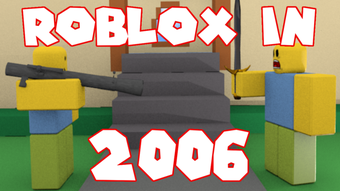
ROBLOX in 2006 is a desktop utility designed to recreate the early visual and functional environment of the Roblox platform as it existed in 2006. Developed by Rxhin, this software is intended for users seeking a nostalgic experience of Roblox’s formative years. It is not a full game client but rather a tool that simulates the look, feel, and certain interface elements of the original Roblox environment. The software falls under the Utilities category and is available at no cost.
Designed primarily for enthusiasts and long-time Roblox users, it allows users to relive the early days of the platform, including its simpler interface, pixelated graphics, and early game mechanics. While it does not provide access to current Roblox servers or gameplay, it serves as a retro-inspired experience for those interested in the evolution of online gaming environments. The software is distributed through Softonic and was released on August 2, 2022.
The developer did not provide additional system requirements. Exact performance details were not specified. Platform compatibility information is limited to Windows, though broader support is unknown. The software is available in English, Spanish, and Italian, reflecting a multilingual user base.
Key Features & Capabilities
- Retro Interface Simulation – The software replicates the visual design and layout of Roblox as it appeared in 2006, including early UI elements, color schemes, and navigation patterns.
- Nostalgic Game Environment – Users can explore a simplified version of the Roblox experience, mimicking the early game creation tools and basic world-building features.
- Language Support – Available in English, Spanish, and Italian, allowing users from various regions to engage with the retro interface.
- Lightweight Design – At 2.1 MB, the application is minimal in size, suggesting a streamlined approach focused on core simulation rather than resource-heavy features.
- Free Access – The software is distributed at no cost, making it accessible to users interested in retro gaming experiences without financial commitment.
These features are best suited for users who appreciate retro computing, game history, or the origins of online platforms. The software does not enable actual gameplay on modern Roblox servers but instead functions as a visual and experiential time capsule. It may be used for educational purposes, personal reflection, or community-driven nostalgia projects.
User Interface, Workflow & Performance
The user interface of ROBLOX in 2006 is structured to mirror the early Roblox client, with a focus on simplicity and retro aesthetics. Navigation appears to follow the basic layout of the 2006 platform, including a central dashboard, menu bars, and limited interaction zones. The workflow is likely linear, guiding users through simulated setup, interface exploration, and visual inspection of the vintage environment.
Given the software’s size and category, it is expected to load quickly and operate with minimal system overhead. However, the developer did not specify resource usage details. Performance observations are based on general software behavior patterns. Stability is not confirmed, as no user reports or testing data were provided. The software does not require installation beyond basic execution, suggesting a portable or standalone design.
Users can expect a static experience rather than dynamic interaction. There is no indication of real-time updates, multiplayer connectivity, or cloud integration. The software is likely designed for viewing and exploration, not for active participation in games or creation workflows.
Compatibility & System Requirements
ROBLOX in 2006 is compatible with Windows operating systems, as specified by the developer. The software version is listed as 0, which may indicate a developmental or initial release state. The installation size is 2.1 MB, reflecting a lightweight footprint.
Exact system requirements were not listed. The developer did not provide details on minimum CPU, RAM, or graphics specifications. Compatibility with modern Windows versions (e.g., Windows 10 or 11) is unknown. It is possible the software may run on older systems, but this has not been confirmed.
Users should exercise caution when running software from third-party sources. While the software is labeled as free and safe, no official security verification or digital signature was mentioned. The lack of detailed compatibility information suggests potential limitations in broader system support.
Pros and Cons
Pros
- Free to use, with no cost or subscription required
- Small file size (2.1 MB) for quick download and minimal storage use
- Offers a nostalgic, retro experience of Roblox’s early days
- Available in multiple languages: English, Spanish, and Italian
- Designed to simulate the original 2006 interface and visual style
Cons
- No confirmed system requirements or hardware specifications
- Performance and stability details were not provided
- Limited functionality—does not support active gameplay or creation
- Version 0 may indicate an incomplete or early-stage release
- Compatibility with modern Windows systems is uncertain
FAQ Section
Is ROBLOX in 2006 safe to download?
The software is distributed through Softonic and is labeled as free. However, no official security verification or digital signature was mentioned. Users should ensure their antivirus software is active when installing third-party applications.
Can I play current Roblox games with this software?
No. ROBLOX in 2006 is not a game client and does not connect to live Roblox servers. It simulates the look and feel of the 2006 interface but does not enable gameplay or access to modern features.
Is the software compatible with Windows 10 or 11?
Compatibility information is limited to Windows. Specific support for Windows 10 or 11 has not been confirmed. Users may encounter issues on newer systems due to lack of official system requirements.
How often is the software updated?
No information was provided about update frequency. The current version is 0, which may suggest it is in an early or developmental phase with no regular release cycle.
Does the software require an internet connection?
The software does not appear to require an active internet connection for basic operation, as it functions as a standalone simulation. However, no details were provided on network behavior or data usage.
Final Thoughts + CTA
ROBLOX in 2006 offers a unique, lightweight experience for users seeking to revisit the origins of one of the most influential online gaming platforms. While it does not function as a playable game client, its retro interface simulation provides a compelling glimpse into Roblox’s early design language and user experience. The software is ideal for nostalgia seekers, game historians, and fans of early internet culture.
Despite its minimal size and free access, users should be aware of the lack of system requirements, performance data, and update history. The version 0 status suggests it may be incomplete, and compatibility with modern systems remains uncertain. Nevertheless, for those interested in digital heritage and retro computing, it presents a low-risk entry point into a bygone era of online creativity.
Download ROBLOX in 2006 now to explore the roots of Roblox and relive the simplicity of gaming in 2006.
Guides & Tutorials for ROBLOX in 2006
How to install ROBLOX in 2006
- Click the Preview / Download button above.
- Once redirected, accept the terms and click Install.
- Wait for the ROBLOX in 2006 download to finish on your device.
How to use ROBLOX in 2006
This software is primarily used for its core features described above. Open the app after installation to explore its capabilities.
User Reviews for ROBLOX in 2006 0
No reviews found





